Adding DKIM & DMARC Records
NOTE: DMARC/DKIM is only applicable to users who are utilizing ImprovMX SMTP. ImprovMX SMTP is a feature available to Light, Premium, and Pro tier users.
To use ImprovMX's SMTP feature, you must first set up DKIM and DMARC records for your domain in your DNS settings. These records are essential for email authentication and help ensure your messages are trusted and delivered successfully.
Prerequisite: You need to have an ImprovMX account and at least one credential created to view the DKIM/DMARC setup instructions.
1. Create an SMTP Credential
If you haven't already, create an SMTP credential set by following this guide.
2. View DKIM and DMARC Records
After creating the credential, go to your Domain Settings → DNS Settings tab.

Scroll down to the bottom, and you will now see the DKIM and DMARC records you need to add.
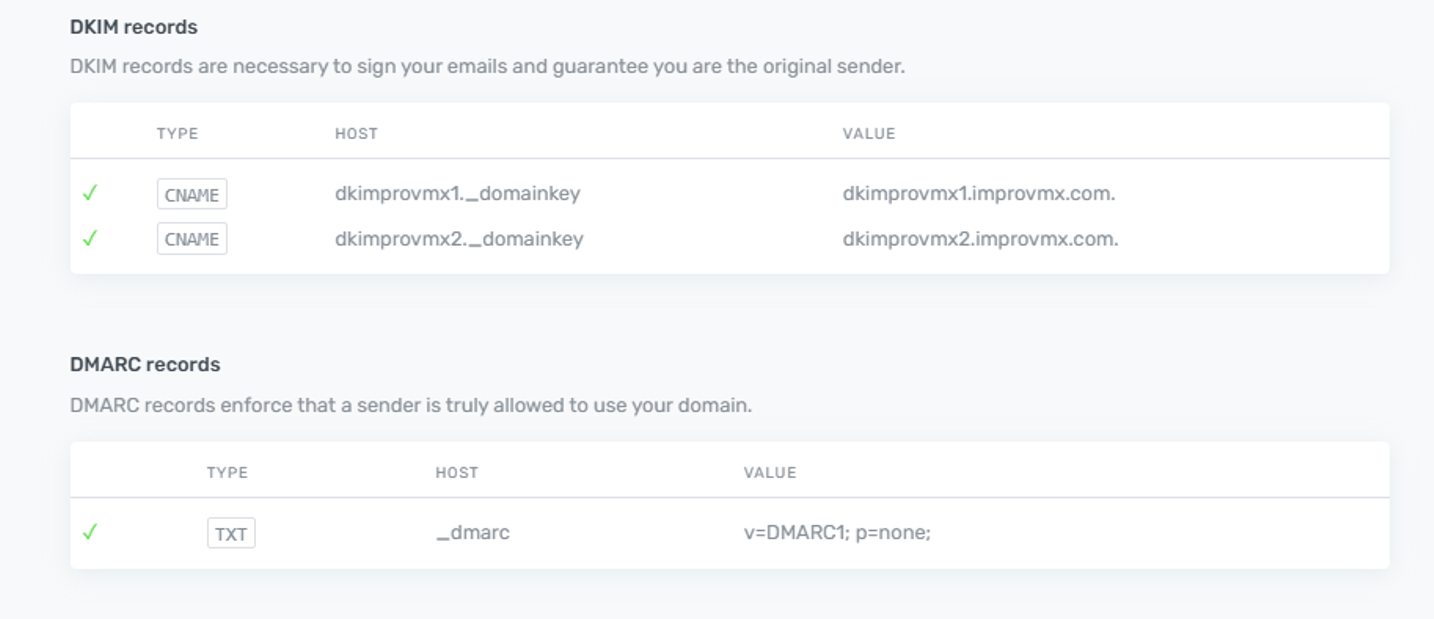
3. Add the Records to Your DNS
Now, add these records to your DNS provider. Below are examples for some popular providers:
Example – Cloudflare
Go to your Cloudflare dashboard → Locate your domain → DNS tab → click Add Record:
• Type: CNAME
• Name: dkimprovmx1._domainkey
• Target: dkimprovmx1.improvmx.com
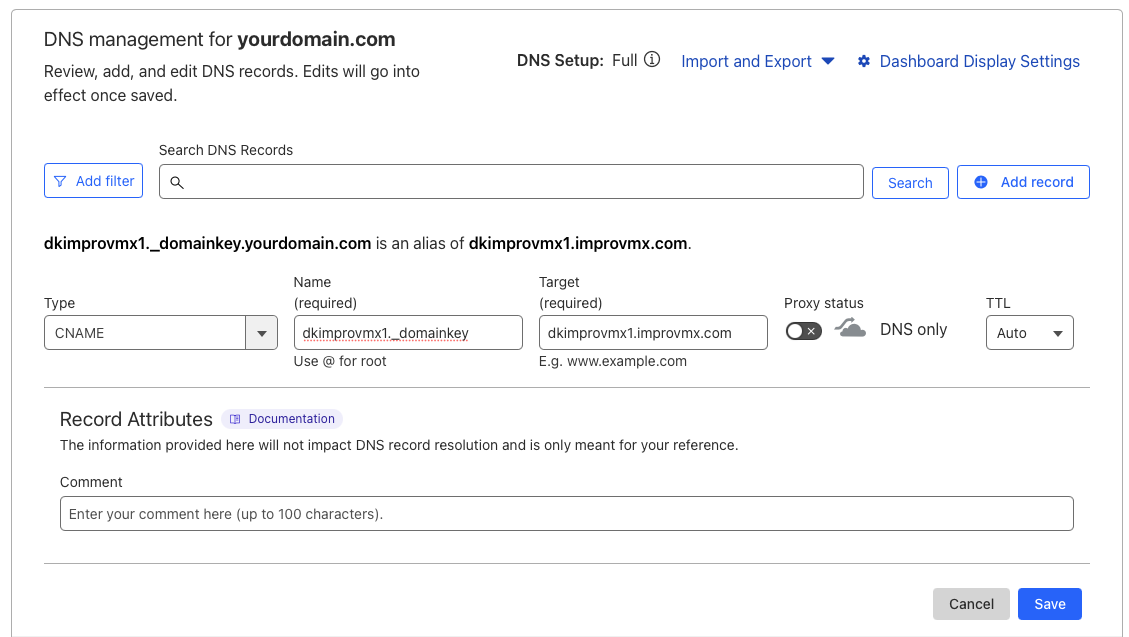
Do the same for the 2nd DKIM record:
Type: CNAME
• Name: dkimprovmx2._domainkey
• Target: dkimprovmx2.improvmx.com
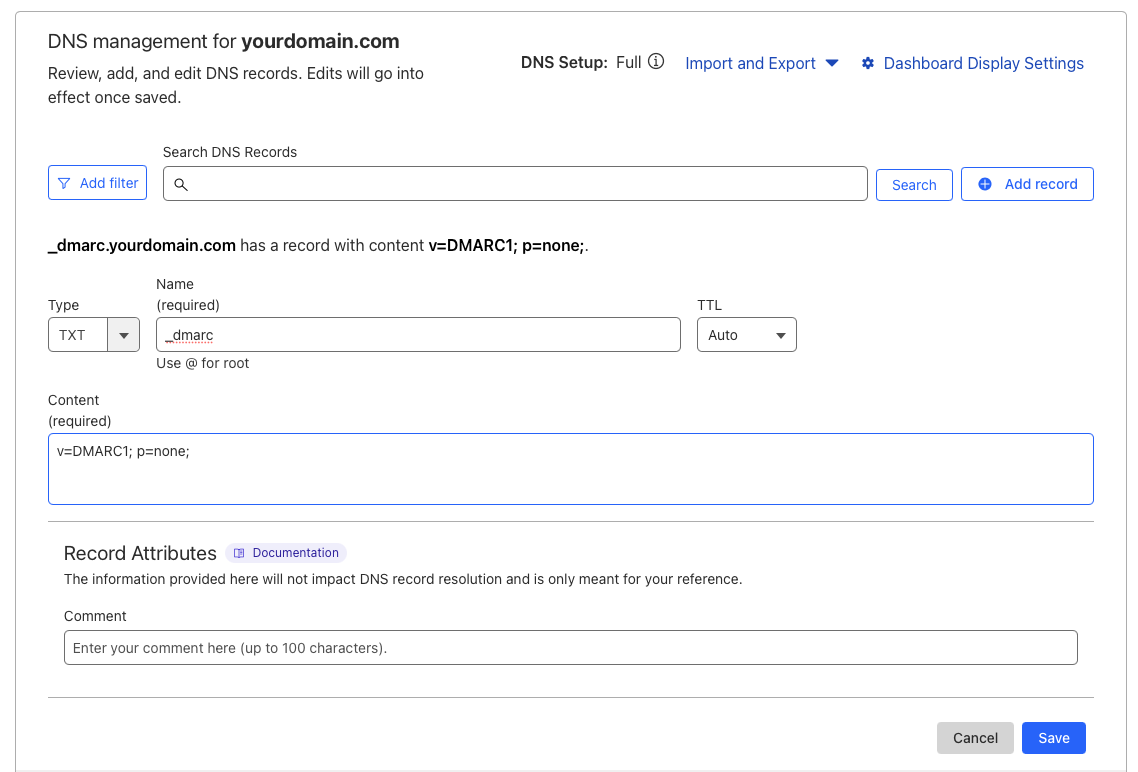
Example – GoDaddy
Navigate to your domain → DNS Management → Add:
• Use the DKIM/DMARC values from ImprovMX
• Leave TTL at default
Example – Namecheap
Go to Domain List → Manage → Advanced DNS → Add New Record:
• Choose TXT Record
• Enter the DKIM or DMARC record details
4. Wait for DNS Propagation
DNS changes can take up to 48 hours to propagate, but often update within a few minutes. You can check the status in your ImprovMX dashboard or with tools like ImprovMX Inspector.
Need Help?
If you're unsure about where to paste the records, reach out to your DNS provider's support team, or contact us at ImprovMX — we're happy to help.