Billing Email Address
Designate a specific email address for billing communications.
You can set a dedicated billing email address to receive all billing-related communications, including invoices and payment receipts, separately from other account notifications.
How to Add a Billing Email
Step 1: Access Your Account
Log into your ImprovMX dashboard at app.improvmx.com.
Step 2: Navigate to Settings
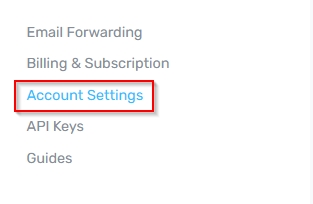
Click Account Settings from the left sidebar menu.
Step 3: Update Billing Email
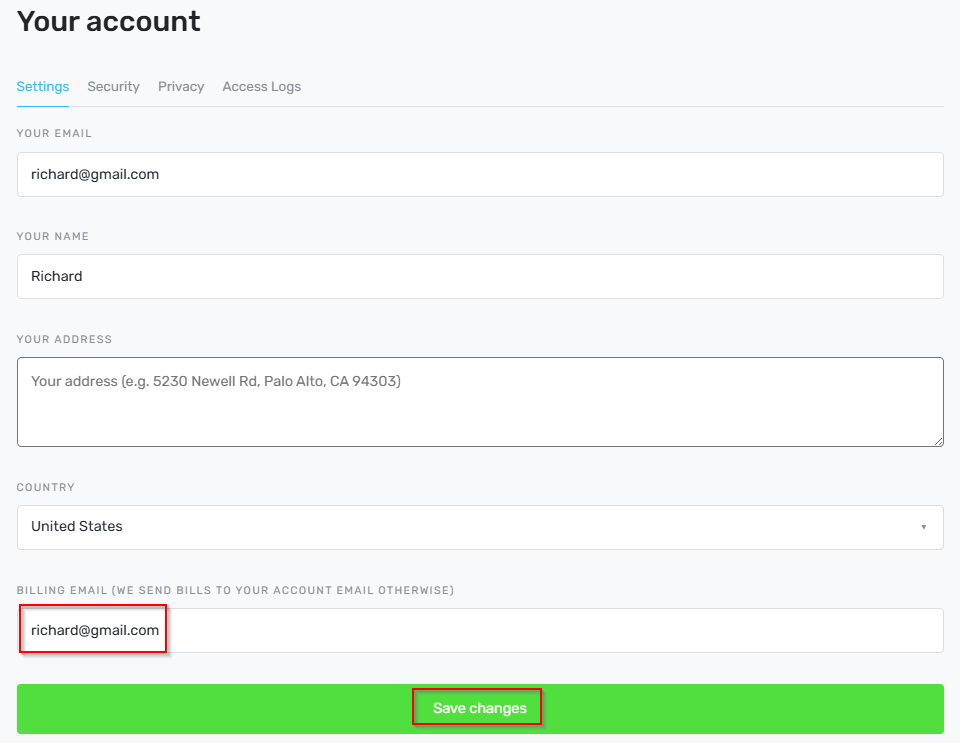
Scroll down to find the Billing Email section. Enter your preferred email address in the designated field, then click Save.
Result
Once configured, all billing-related correspondence will be directed to the email address you specified, ensuring important financial updates reach the intended recipient without delay.
Still have questions? Feel free to reach out to our support team!