Viewing MX & SPF Records
To use ImprovMX's email forwarding feature, you'll first need to set up MX and SPF records in your domain's DNS settings. MX records ensure that ImprovMX can forward emails sent to your domain, while SPF records let receiving servers know that ImprovMX is allowed to handle emails on your behalf. These records ensure your emails are received successfully.
1. View MX and SPF records
Go to your Domain Settings(cogwheel) → DNS Settings tab.

Scroll down, you will see your MX and SPF records.
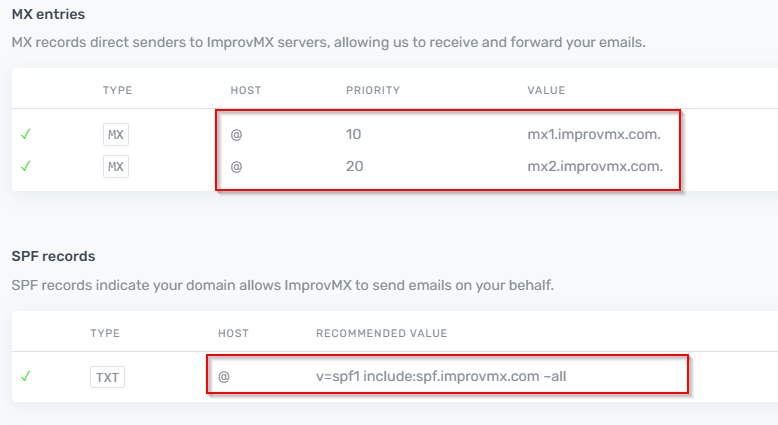
Hover over these column values and select to copy them.
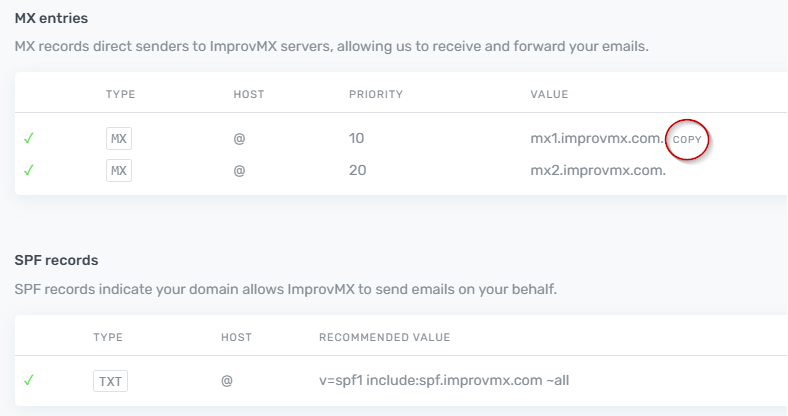
2. Add records to your DNS
Select your provider below to see how to do this :
- Amazon Route 53
- Bluehost
- Cloudflare
- DigitalOcean
- GoDaddy
- Hostgator
- Hostinger
- Namecheap
- Netlify
- Porkbun
- Squarespace
- Vercel
If you have any questions about your MX/SPF records, feel free to contact us.