Aliases
Aliases are mailbox identities under your domain, i.e. richard@piedpiper.com. They will forward all incoming mail to a destination address, i.e. richard.hendricks@gmail.com
Create an alias
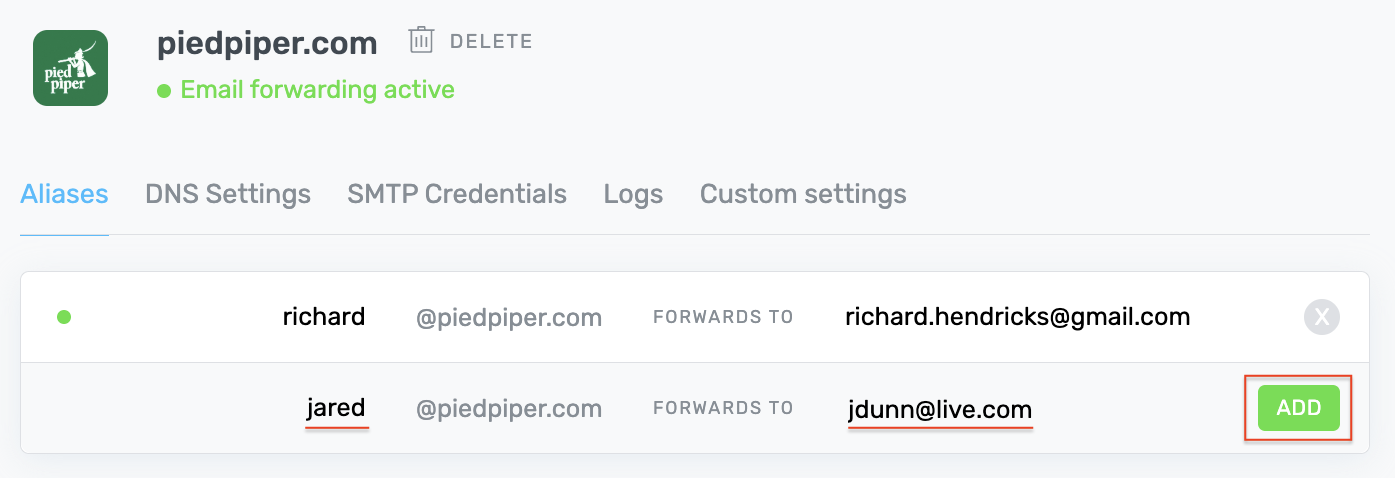
From your ImprovMX aliases page, input your new alias name, a destination address, and click the ADD button.
Update an Alias
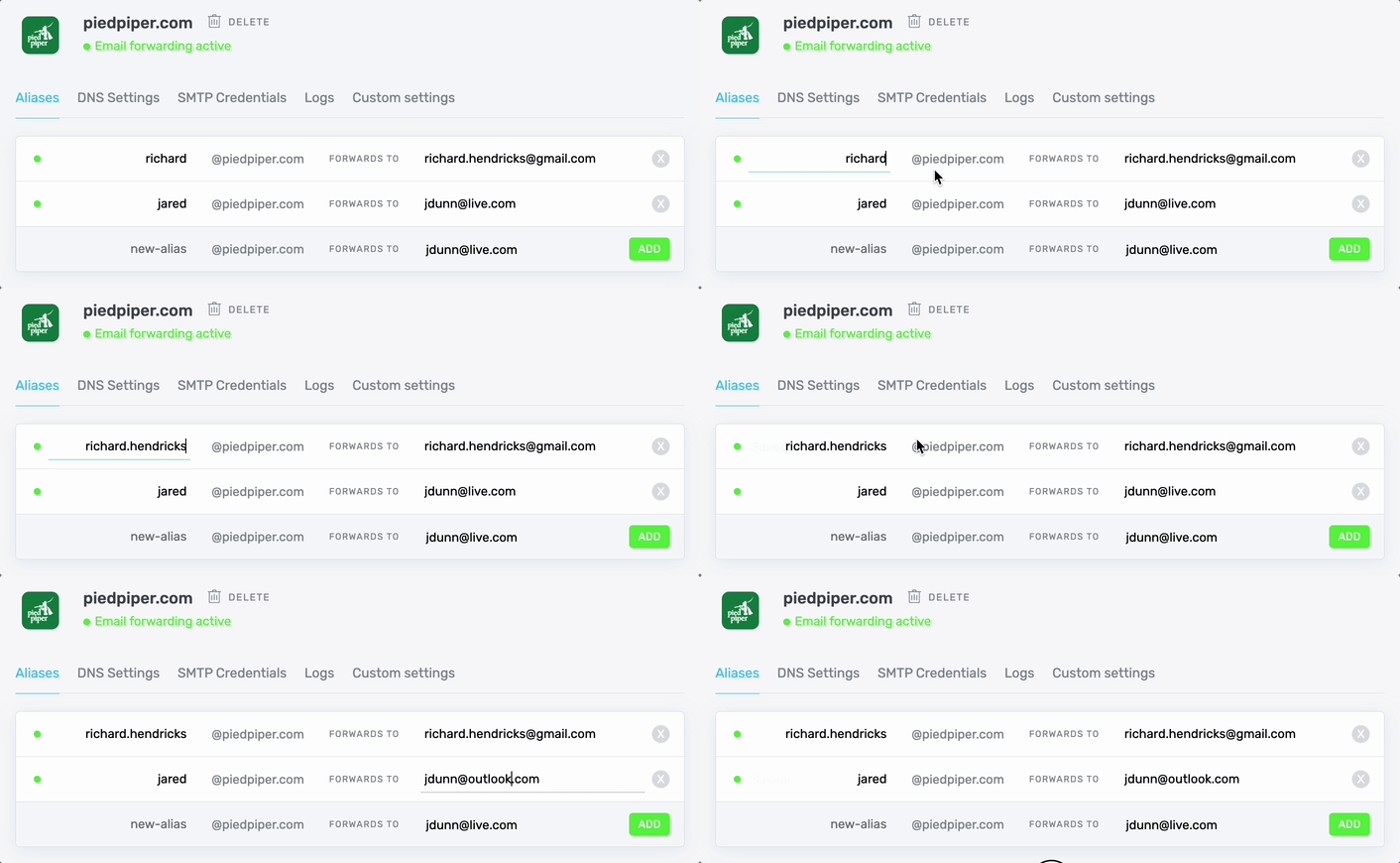
From your ImprovMX account page, edit the alias or destination field inline, then hit Return or click away, and the update will automatically save.
Delete an Alias
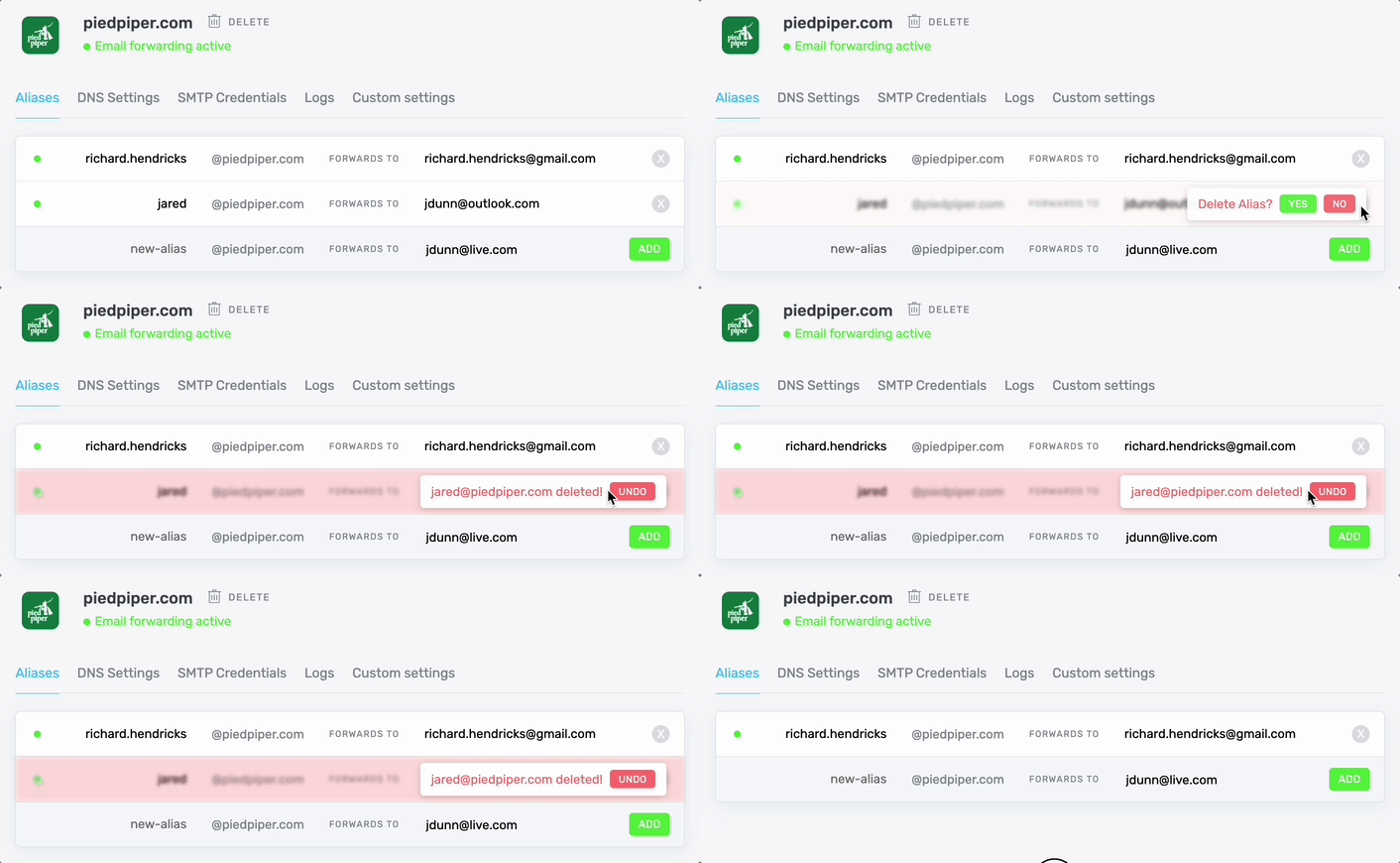
From your ImprovMX account page, click the X next to the alias to be deleted—you'll have a few seconds to undo this action before it's permanent.
Advanced Options
Try these advanced alias options: