Vercel DNS Setup For ImprovMX
1. Add MX & SPF records
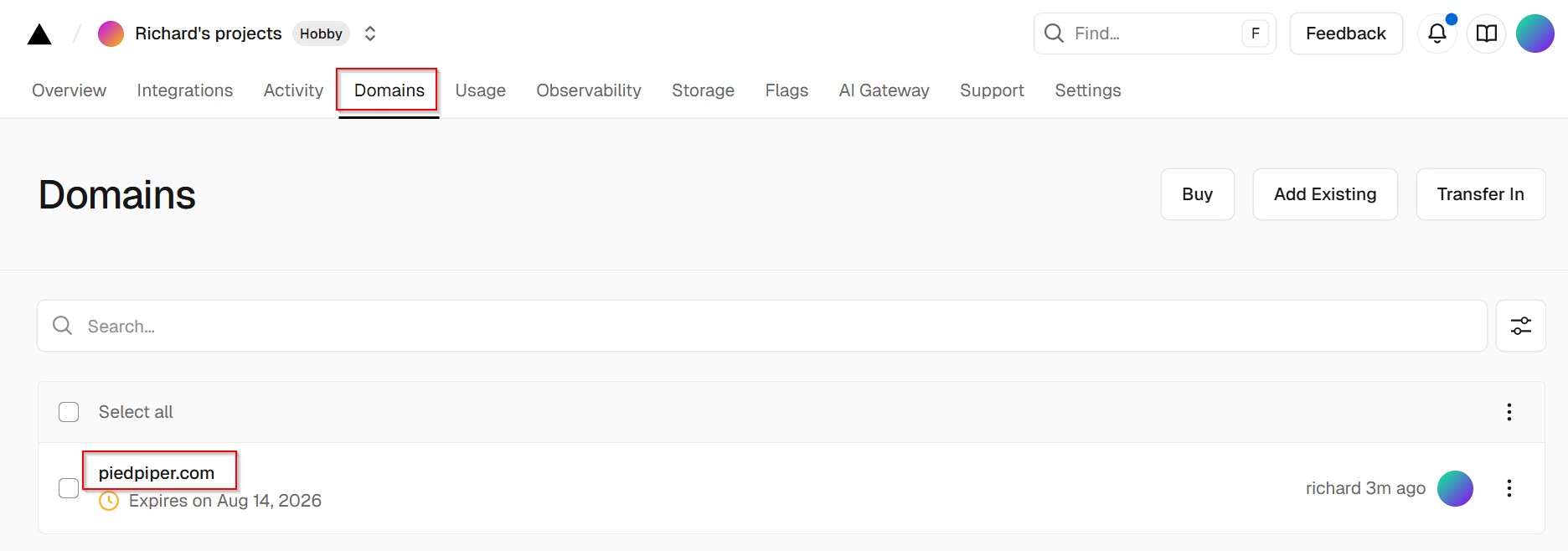
In Vercel, select Domains tab -> select your domain.
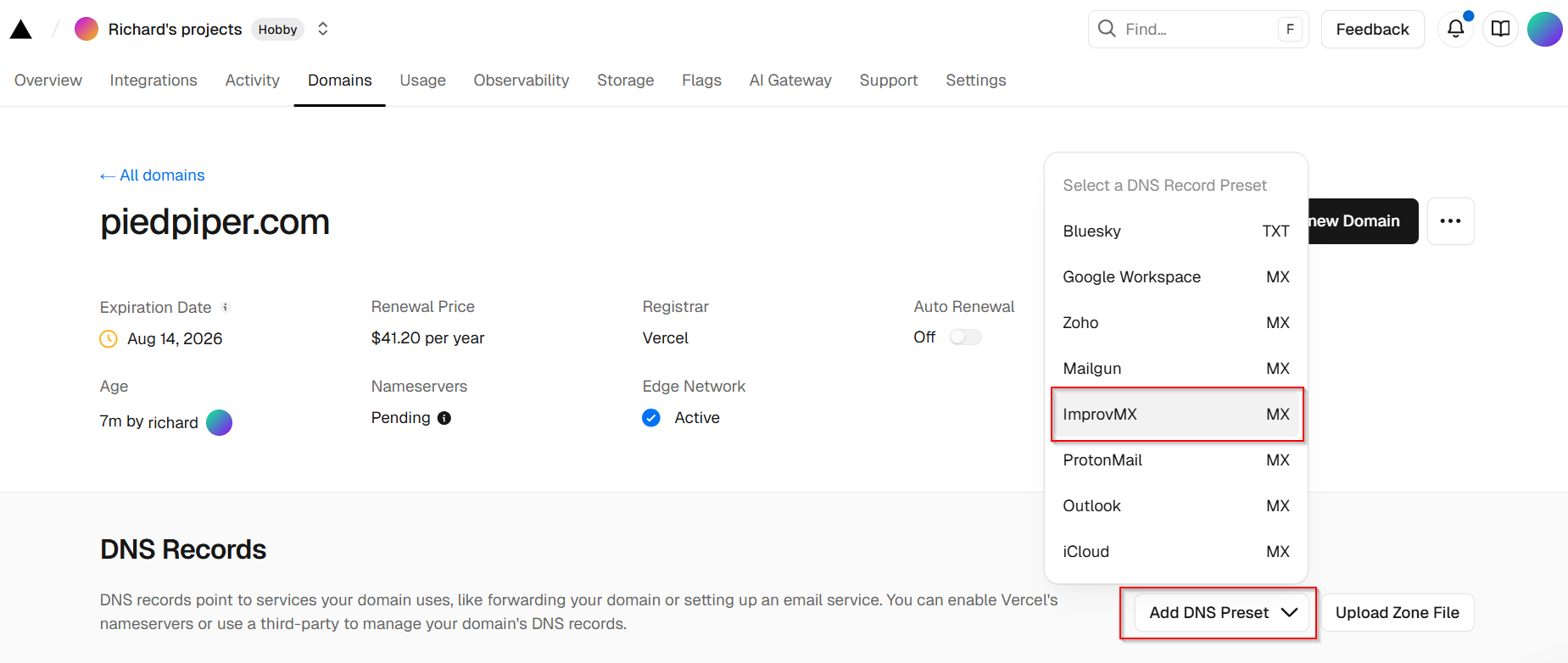
Select Add DNS Preset -> select ImprovMX [MX].
Select Add records.
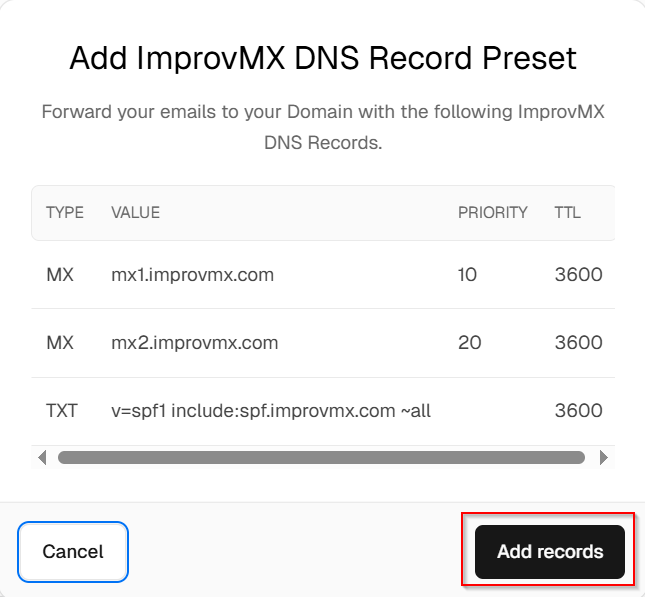
MX and SPF records are now added. Remove any non-ImprovMX MX records. Your DNS configuration should match the example below.

2. Verification
That's it! DNS changes can take up to 24-48 hours to propagate, but usually happen sooner. We'll notify you once detected. You can also click 'Check Again' on the ImprovMX dashboard to see if it's updated.
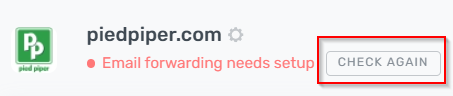
Domain will display "Email forwarding active" once DNS changes have propagated.

Still have questions? Feel free to reach out to our support team!