Create SMTP Credentials
SMTP credentials allow your email clients to authenticate with our mail servers and send messages on your behalf. Follow the steps below to create your SMTP user.
Add SMTP user
1. Sign into your account at app.improvmx.com.
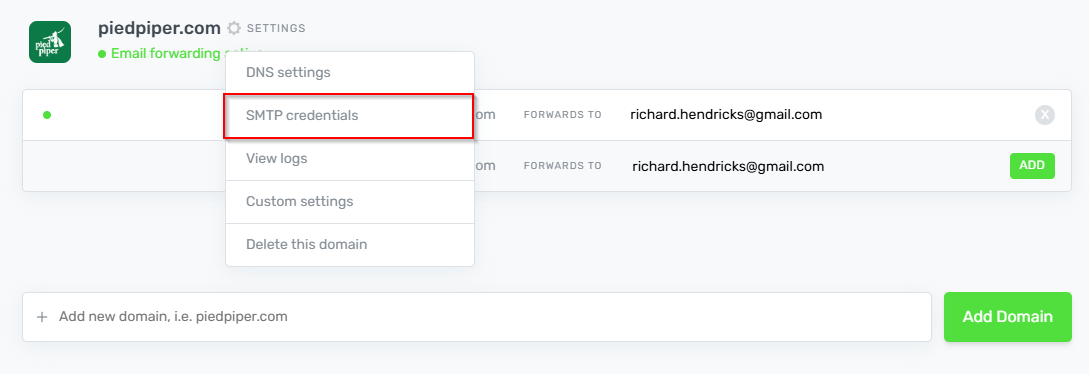
2. Click the settings cogwheel ⚙ next to your domain name → SMTP Credentials.
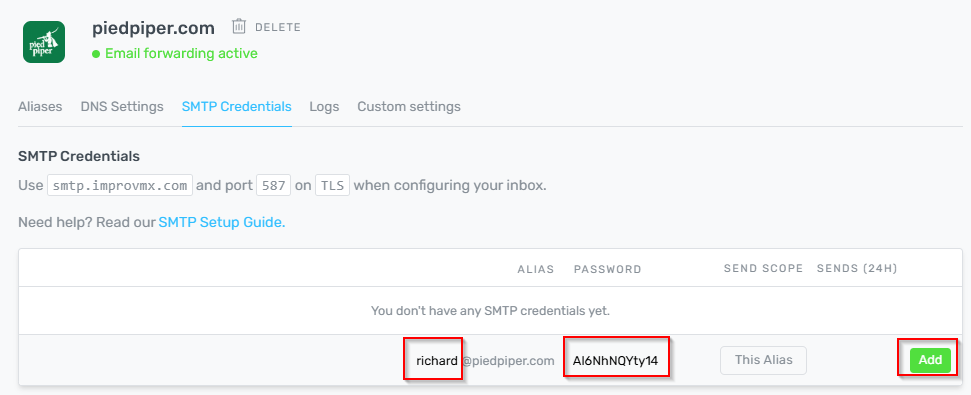
3. Fill in the username (alias) and password of your choice and click add.
Congratulations! You've successfully created SMTP credentials for your account. You can now use these credentials to configure your email clients to send emails through ImprovMX. If you encounter any issues or have questions, our support team is ready to assist you.
Next Step: Adding DKIM records