Log configuration
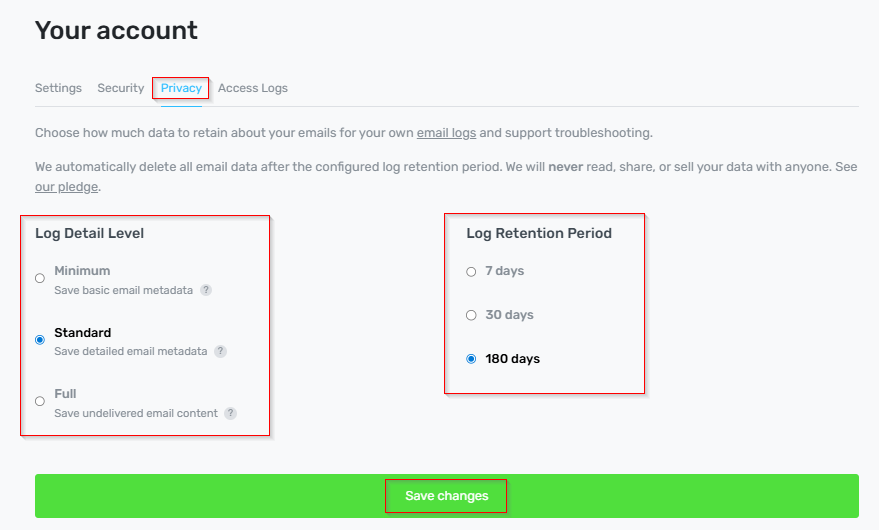
We keep email logs for 7 days by default, after which they are automatically deleted. These logs are only used for troubleshooting delivery issues. We never read, alter, or share your data.
Only paid subscribers can extend log retention beyond 7 days
Log detail levels control how much detail is recorded about your email traffic.
You can adjust your log detail level and retention period in Dashboard → Account Settings→ Privacy.
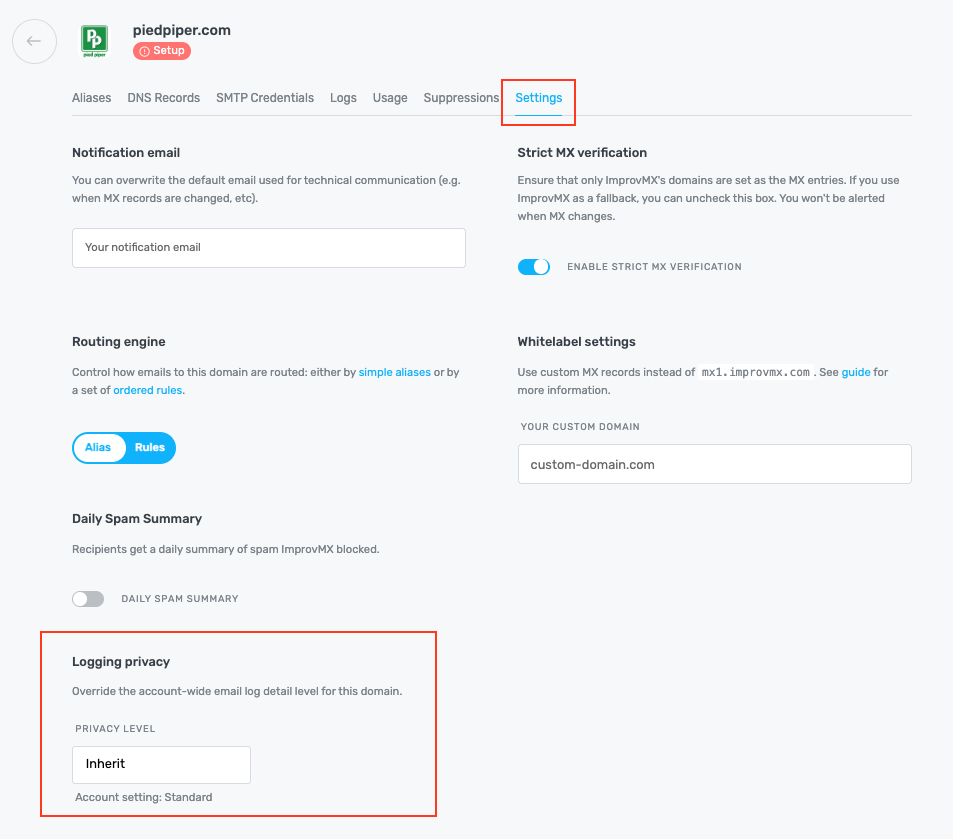
Need a different level on one domain? Open that domain's Settings and pick a Logging privacy level. It overrides your account-wide setting for that domain only — leave it on Inherit to use your account setting. The retention period stays account-wide.
Log Detail Levels:
Minimum
Stores only the data required by law:
- Client IP (and reverse)
- Hostname (HELO/EHLO)
- Return path email
- Date, time, and duration
- Email size
- Server name
- Delivery status (Delivered, Bounce, etc.)
- Response code
- Retry attempts and next retry
With this setting, support may be limited if delivery issues occur.
Standard
Stores all of the above plus email metadata:
- Subject
- Message ID
- From
- Recipient
- Forwarded-to address
Full
Stores all of the above, plus storage of undelivered emails.
This allows you to download failed messages and troubleshoot issues caused by:
- Temporary errors (e.g., DNS failure)
- SpamAssassin rejection
For more information about our logging policy, please click here.