Updating credit card/payment details
To update your payment details, simply head to your ImprovMX dashboard and go to the Billing & Receipts section.
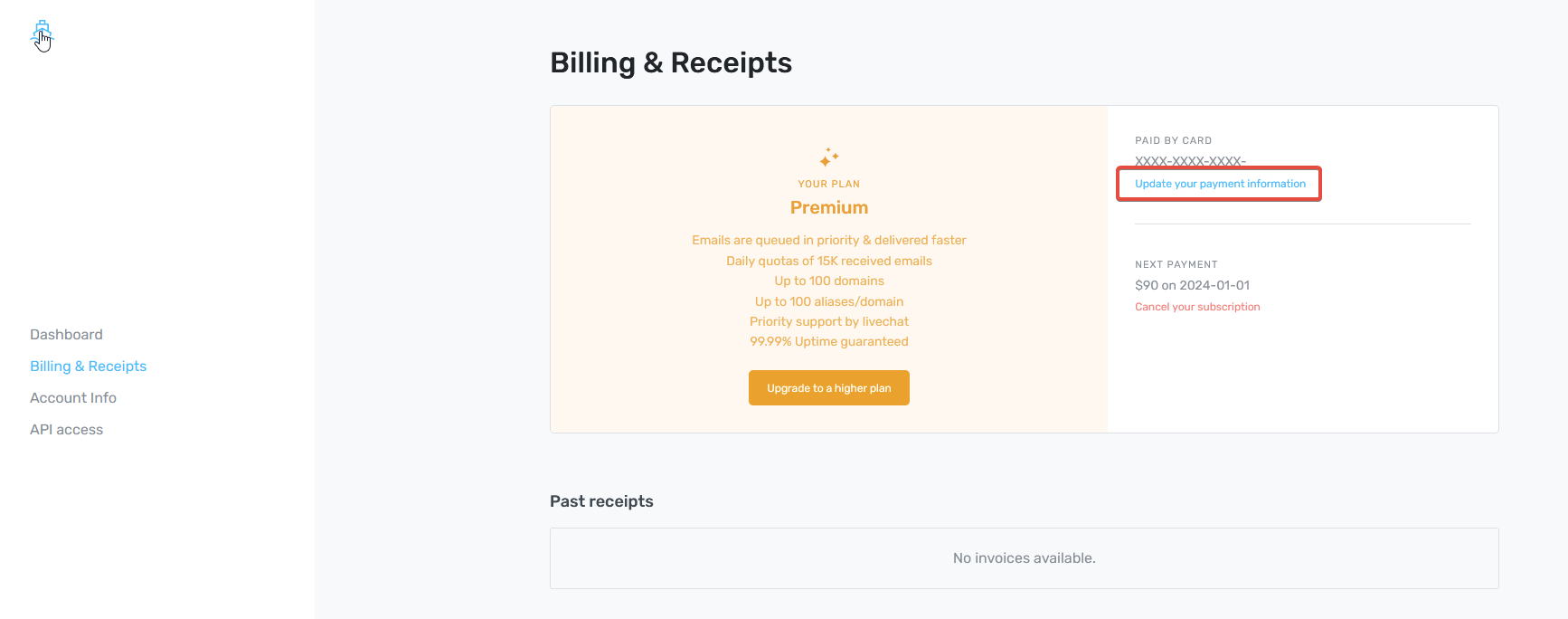
Here you'll see the details of your current plan. You'll also be able to access your past receipts should you need them for accounting purposes.
At the top right of the screen your current card details will be shown. Click the Update your payment information link.
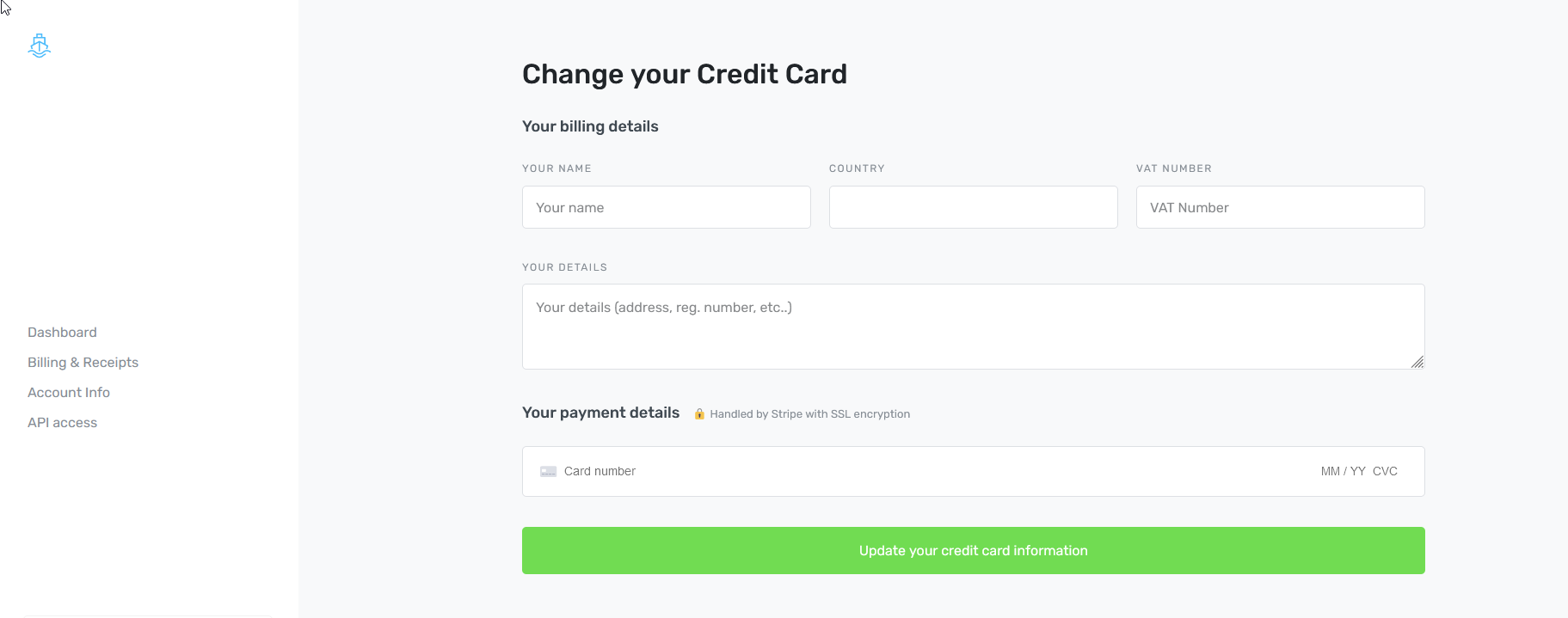
Now you'll be able to amend your billing details as required.
Once complete, click Update your credit card information.
That's it! Your updated details are now saved and will be used for future payments.