Remember when rigid email setups limited your options? ImprovMX is all about giving you the freedom to make your email work for you.
Our newest feature, hybrid MX options, lets you take full control of your email! Choose maximum security with Strict MX Verification, or easily set up failover scenarios and complex hybrid MX configurations – all with a few clicks.
The lowdown on Strict MX verification
Think of this feature as your email traffic cop. It makes sure only ImprovMX can handle your domain's email. Super secure, but sometimes you need more wiggle room with those MX records.
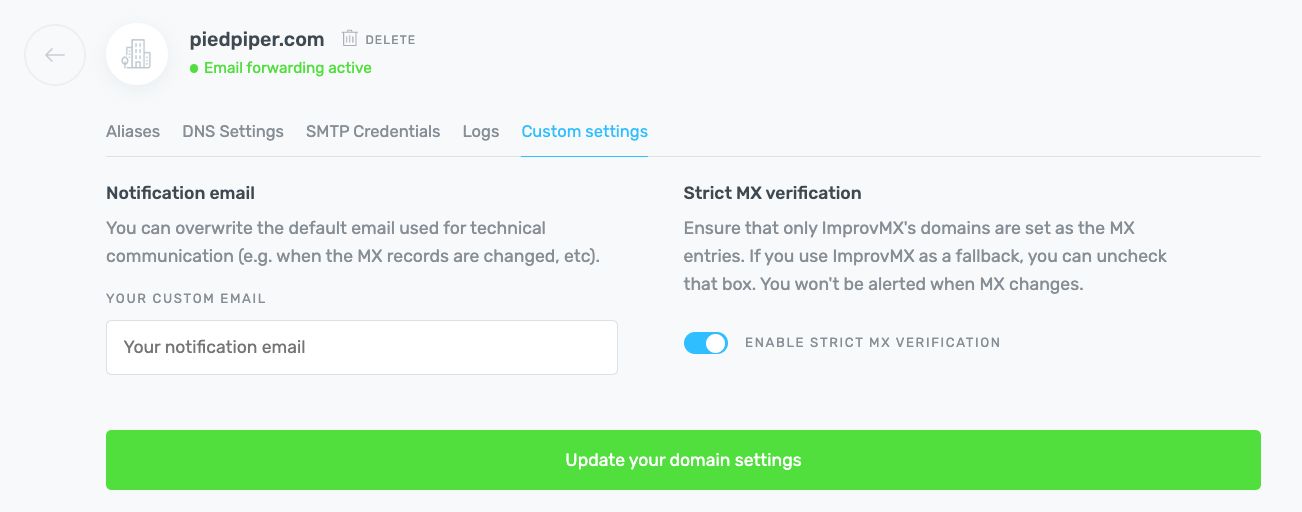
That's where the update comes in! Now you can easily disable Strict MX verification if you need to:
- Set Up ImprovMX as your backup plan: Main email provider acting flaky? ImprovMX can step in as a secondary MX record, so your inbox stays open for business.
- Create hybrid setups: Love ImprovMX, but want a safety net from another provider? No problem! Disabling Strict MX Verification lets you add those extra failovers.
Important note: When Strict MX verification is off, you're in charge of monitoring those MX records, so consider who has access to make changes!
Security, flexibility, or both? The power is yours.
- Security superhero mode (Enabled): Keep those MX records locked down. Prevent oopsies that could disrupt your mail flow or make you vulnerable.
- Flexibility for the win (Disabled): Set up backup plans, mix and match providers…customize away!
- Stress-free, either way: Know your email setup is rock-solid, whether you're opting for maximum security or ultimate flexibility.
Find your perfect setup
Ready to customize? The updated Strict MX verification setting is waiting in the Custom Settings page of your ImprovMX dashboard!

Antoine Minoux
ImprovMX founder and software designer. Now running Fernand (getfernand.com)